Your first week with Seekpitch: a step-by-step plan
A day-by-day plan for your first week: set up your business facts, connect a mailbox, review your first leads and emails, and start sending with confidence.
· 6 min read
Starting with a new tool is easier with a plan. This guide sets out what to do during your first week with Seekpitch, which is also the length of the free trial. Each step takes between ten and thirty minutes. By the end of the week, your mailbox will be warming up, your first campaign will be running, and you will know whether the leads match the customers you want.
Day 1: Paste your website and check what Seekpitch learned
Begin on our home page by entering your website address. Seekpitch reads your site and works out what you sell, who buys it and which kinds of companies are likely to need it. You will see a first preview of matching companies straight away. Create your account to continue; the trial includes 50 qualified leads over 7 days, and no card is needed.
Next, open Settings and select Company & facts. This is the most important page in Seekpitch, because it is what the agent writes from. Every email and every reply draft may only use the facts listed here. Take fifteen minutes to make sure it is accurate and complete:
- What you sell, described in plain words.
- Who your best customers are, and why they chose you.
- Results you can prove, such as a customer outcome or a specific number.
- Prices or price ranges, if you are happy to share them.
- Your booking link, if you use one, so interested leads can choose a time.
Day 2: Set up a separate domain and connect a mailbox
Seekpitch sends from mailboxes you own. To protect your main company email, use a separate domain for outreach, such as trypellanor.com for a company at pellanorhq.com. Our guide on using a separate domain explains why this matters and how to set it up.
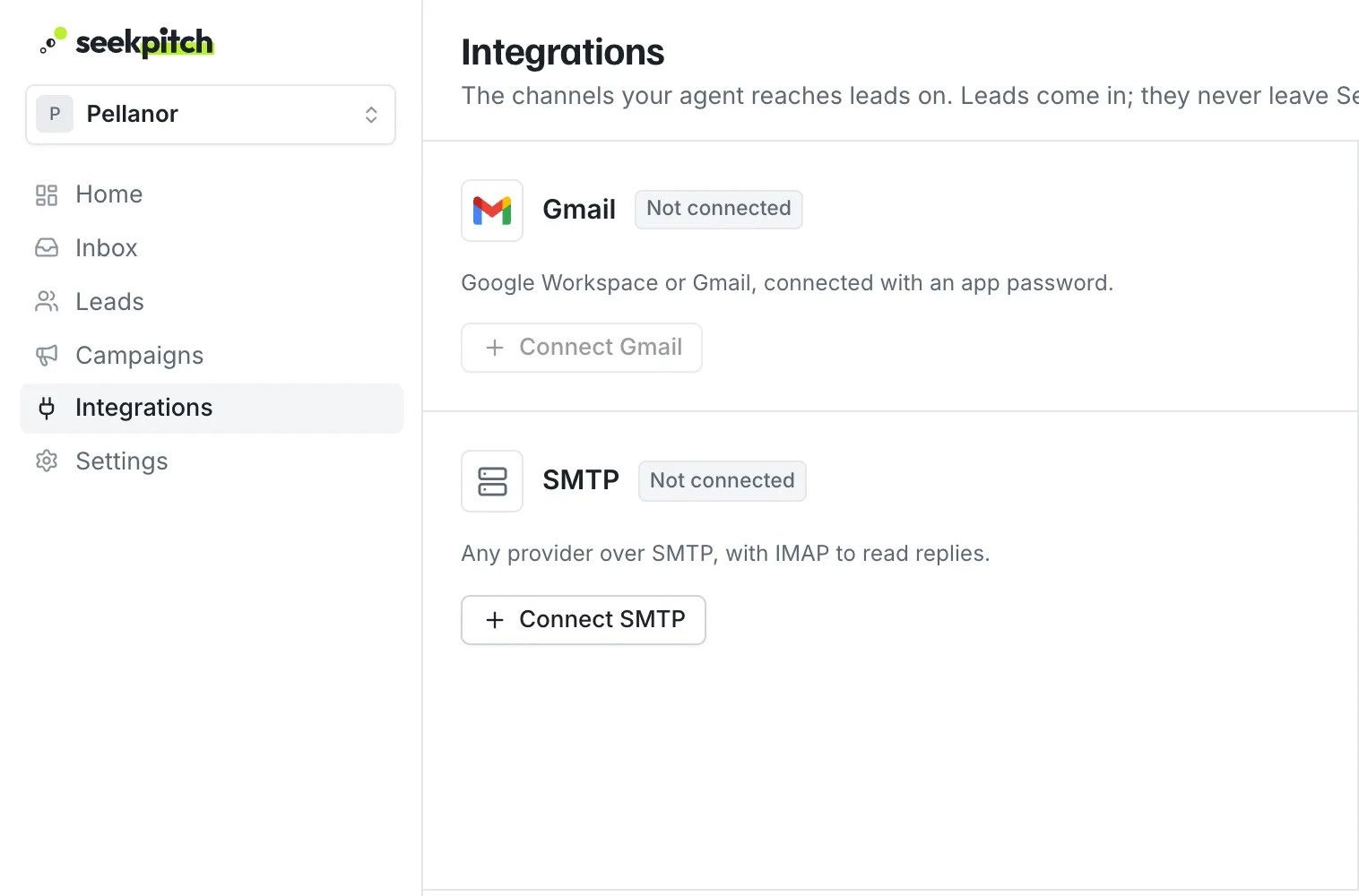
Once you have a mailbox on the new domain, connect it under Integrations. If you use Google Workspace or Gmail, follow our step-by-step Gmail guide. It takes about ten minutes and includes screenshots of every screen.
Connect your mailbox as early in the week as you can. Every new mailbox goes through a three-week warm-up, starting with five emails a day, and the sooner it begins, the sooner you reach full pace. Read how warm-up works.
Day 3: Add the trust records for your domain
Email providers expect three short records on every sending domain, known as SPF, DKIM and DMARC. Seekpitch checks for them and shows a green badge for each one. Until all three are present, the mailbox stays on hold so that your emails are not sent to spam.
Your email provider gives you the values to add at your domain host. For Google Workspace, they are listed in Step 5 of the Gmail guide. After adding them, open the mailbox menu in Seekpitch and select Check DNS again. Changes can take a few hours to take effect, which is why this step comes early in the week.
Day 4: Review your first leads
By now the agent will have found leads for your first campaign. Open Leads and review them. Each lead comes with a sentence explaining why it was chosen. For each one, ask: is this the kind of business I want as a customer, and is the reason convincing?
- Approve the leads that clearly fit. Approving is the go-ahead: once a lead's address checks out and your mailbox is connected, its first email goes out.
- Remove any that do not. This is normal and helps you see what suits you.
- If many leads miss the mark in the same way, adjust the campaign's description or your Company & facts so the next search looks for better matches.
Our article on qualified leads offers a quick way to judge each one in under a minute.
Day 5: Read your first emails
For each approved lead, Seekpitch writes a short first email and its follow-ups. Read the first few carefully. Check that the opening detail about the lead is correct, that the description of your offer is clear, and that the request at the end is small and easy to answer.
If something is not right, the fix is usually in your Company & facts rather than in the email itself. Improve the facts, and every future email improves with them. Our guide to writing cold emails that get replies has a six-point checklist you can use here.
There is no separate send button: the emails go out on their own. If you want to hold them while you fix something, pause the campaign from its page and resume it when you're ready. The emails are sent during business hours in each lead's time zone, within your mailbox's daily limit, with follow-ups scheduled automatically.
Day 6: Check the Inbox
Replies will begin to arrive. Open the Inbox to see them, sorted by intent, with a draft answer ready for interested ones. Answer promptly; a quick, helpful reply makes a strong impression. Our guide to handling replies explains how to answer each kind.
Do not be discouraged if replies are few at this stage. Your mailbox is still sending only a handful of emails a day, and most replies arrive after the first follow-up.
Day 7: Review the week and choose a plan
Look back over the week and ask three questions:
- Did the leads match the customers I want?
- Did the emails describe my business accurately and in a way I am proud of?
- Did the replies, even the early ones, come from the right kind of people?
If the answers are encouraging, choose the plan that fits how many leads you want each month. Plans differ mainly in the number of qualified leads, mailboxes and campaigns included, and every plan includes the research, writing, follow-ups and reply drafts. You can compare them on our pricing page and change plans at any time.
Setting expectations for the weeks ahead
- Weeks one to three: your mailbox warms up and sending grows gradually. Use this time to refine your facts and your lead choices.
- From week four: each mailbox sends at its full pace of 30 outreach emails a day, and the full follow-up sequence has had time to run.
- Ongoing: review new leads regularly, answer replies daily, and adjust your campaigns based on who responds.
If you need help
If anything is unclear during your first week, write to us at hello@seekpitch.com. We are glad to help you connect a mailbox, check your domain or review your first campaign.
Paste your website. Get leads that fit.
Try it free for 7 days with 50 qualified leads. No card needed, and nothing is sent without your approval.